
You are currently living in a digital hurricane. It starts with a simple WhatsApp message from a supplier. Then, an Excel cell gets updated—maybe. By the time you reach 30 active orders, your business isn’t running on a system; it’s running on adrenaline and prayer. If you’re looking for Beyond Excel: A Low-Cost Guide to Tracking Purchase Orders for Small Family Businesses, you’ve realized that the ‘free’ way of doing things is actually costing you a fortune in missed deadlines and midnight anxiety.
The Spreadsheet Trap
Excel is a masterpiece for accounting, but it’s a graveyard for active processes. When you use a static sheet to track 40 moving parts, you are asking for human error. A single accidental deletion or a forgotten row can derail an entire production cycle.
Small businesses often cling to spreadsheets because they feel safe. But let’s be honest: scrolling through 500 rows to find one tracking number isn’t ‘safety.’ It’s a waste of your most valuable resource—time.
Airtable: The Database for People Who Hate Databases
If you love the look of a spreadsheet but need the power of a brain, Airtable is your answer. Unlike Excel, Airtable allows you to link records. You can have one tab for ‘Suppliers’ and another for ‘Orders.’
- Status Automations: When an order changes from ‘Ordered’ to ‘Shipped,’ Airtable can automatically email your team.
- Attachment Fields: Stop hunting for PDFs. Drag the invoice directly into the row.
- Views: Switch from a grid to a calendar view with one click to see exactly when shipments are due.
Trello: Visualizing the Flow
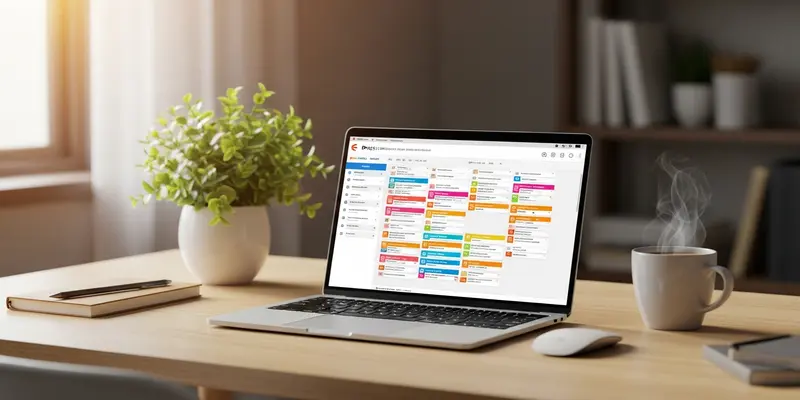
For the visual thinkers, Trello turns your procurement into a digital assembly line. You create ‘cards’ for every order and move them across ’lists’ like: To Order, Pending, In Transit, and Received.
It’s tactile. It’s satisfying. Most importantly, it prevents things from falling through the cracks because a card sitting in ‘Pending’ for three weeks starts to look very lonely. It forces a visual accountability that a row in a spreadsheet never will.
The Cost of the ‘Status Quo’
I remember sitting in a tiny workshop in North Carolina with a third-generation furniture maker named Elias. The air smelled of fresh cedar and stale coffee. Elias was stressed. He had 35 custom chairs in various stages of production, and his ‘system’ was a stack of yellow Post-it notes stuck to a grease-stained clipboard.
He once double-ordered $2,000 worth of mahogany because he forgot he’d already sent the WhatsApp message to his lumber guy. The look of defeat on his face when that second truck arrived was a wake-up call. We moved him to a simple Trello board that afternoon. Two weeks later, he told me he slept through the night for the first time in a year. That’s the ROI of a $0 software tool.
Professionalizing on a Budget
You don’t need a $50,000 Enterprise Resource Planning (ERP) system. You need discipline and a tool that reflects reality in real-time. Start small. Pick one tool—Airtable, Trello, or even a highly structured Google Sheets template with checkboxes—and commit to it for 30 days.
Stop managing your business through your notifications. Start managing it through a system. Your sanity is worth the twenty minutes it takes to set this up.
FAQs
Q: Is Airtable free for small businesses? Yes, Airtable has a very generous free tier that is perfect for tracking up to 1,000 records, which is plenty for a business with 40 active orders.
Q: Why is WhatsApp bad for business communication? WhatsApp is great for chat, but it’s terrible for records. Information gets buried, there’s no way to ‘status’ a message, and it’s impossible to search for specific order details six months later.
Q: How long does it take to set up a Trello board? About 15 minutes. You just need to decide on your columns (Requested, Ordered, Shipped, Received) and start moving your current Excel data into cards.
Q: Can I use Google Sheets as a database? Technically no, but you can use ‘Data Validation’ and ‘Checkboxes’ to make it feel more like one. However, it will always lack the automation power of Airtable.
Q: Do these tools work on mobile? Absolutely. Both Trello and Airtable have excellent mobile apps, so you can update an order status while you’re standing in the warehouse or at the loading dock.
Q: What if my suppliers won’t use these tools? They don’t have to. These systems are for your internal clarity. You receive their emails or texts and input the data into your system so you remain the master of your own supply chain.