
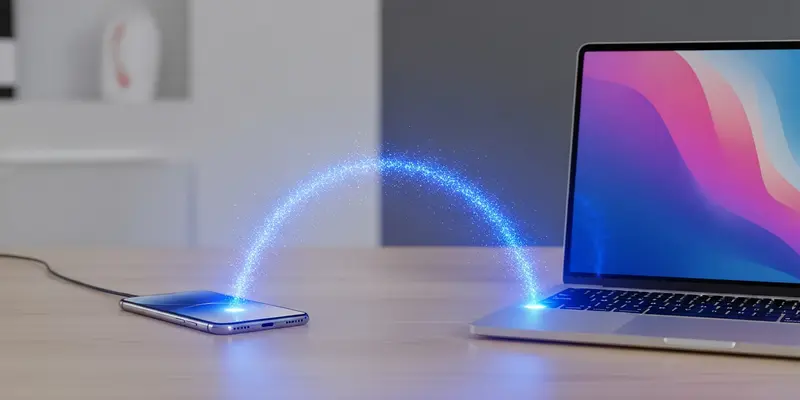
You’re staring at a progress bar that hasn’t moved in five minutes. You’ve got a 4GB video file on your phone and you need it on your PC. You tried the cloud, but your upload speed is a joke. You looked for a cable, but you only found a cheap charging lead that won’t transfer data. This is exactly why you need to turn your smartphone into a local FTP server.
Stop letting Big Tech act as the middleman for your own data. Sending a file to a server three states away just to move it three feet to your laptop is inefficient, slow, and quite frankly, absurd. Local FTP is the old-school solution that still beats the pants off modern bloatware.
The Cloud is a Trap for Large Files
Cloud storage is fantastic for syncing notes or low-res photos. But for media professionals or anyone handling 4K video, it’s a bottleneck.
- Privacy: Your files stay on your network. No third-party servers.
- Speed: You are limited only by your router’s Wi-Fi speed, not your ISP’s upload cap.
- Cost: Zero. No subscription fees for extra storage you don’t need.
Setting the Stage: No PhD Required
Setting this up is deceptively simple. You don’t need to be a systems administrator; you just need the right tool. On Android, apps like “Solid Explorer” or “WiFi FTP Server” do the heavy lifting. On iOS, “Owlfiles” or even the native Files app (with some coaxing) can manage connections.
Once the app is running, it gives you a URL—usually something like ftp://192.168.1.XX:2121. You type that into your Windows File Explorer, and suddenly, your phone appears like just another hard drive. It’s magic, minus the smoke and mirrors.
A Lesson Learned in a Hotel Lobby
I remember being in a cramped hotel lobby in Seattle three years ago. I had forty minutes to send a raw video edit to a producer before my flight. The hotel Wi-Fi was throttled to 2Mbps for uploads. If I had relied on Google Drive, that file would have finished uploading somewhere over the midwest, long after my deadline.
I didn’t panic. I turned my phone into a hotspot, connected my laptop, and fired up an FTP server on my Android device. Because the devices were talking directly to each other over the local connection, I bypassed the throttled internet entirely. The 2GB file moved in under four minutes. I caught my flight, the producer got the file, and I didn’t spend a dime on “premium” hotel internet.
Security: Keep the Doors Locked
Let’s be clear: FTP (File Transfer Protocol) is an older standard. It’s not encrypted by default. This is why you never run an FTP server on public Wi-Fi at a coffee shop.
But on your home network? It’s a fortress. As long as your router is password-protected, your local FTP transfer is significantly more private than handing your data over to a corporate cloud provider. Turn the server on when you need it, and kill the app when you’re done. It’s that simple.
Take Back Control
We’ve been conditioned to think that everything needs to go through a “service.” We’ve traded local control for the convenience of a login screen. But when it comes to moving large media, local is king. Stop hunting for cables. Stop paying for storage tiers. Turn your phone into a server and experience what real transfer speed feels like.
FAQs
1. Is an FTP transfer faster than a USB cable?
Usually, a high-quality USB 3.0 cable is faster, but most cables lying around homes are USB 2.0 (charging cables), which are often slower than a modern 5GHz Wi-Fi connection.
2. Do I need an active internet connection for this?
No. You only need a local network (a router). You can even do this using your phone’s mobile hotspot if you don’t have a router nearby.
3. What app do you recommend for Android?
Solid Explorer is the gold standard for its clean UI and built-in FTP server plugin, but “WiFi FTP Server” is a great, lightweight free alternative.
4. Can I use this to move files from PC to phone too?
Absolutely. FTP is a two-way street. You can drag and drop files from your computer into your phone’s folders just as easily.
5. Why not just use Bluetooth?
Bluetooth is painfully slow, often topping out at 2-3 Mbps. FTP over Wi-Fi can reach speeds of 300-600 Mbps depending on your hardware.
6. Does this work on Mac?
Yes. macOS has a built-in FTP client in Finder. Just go to “Go” > “Connect to Server” and enter your phone’s FTP address.