
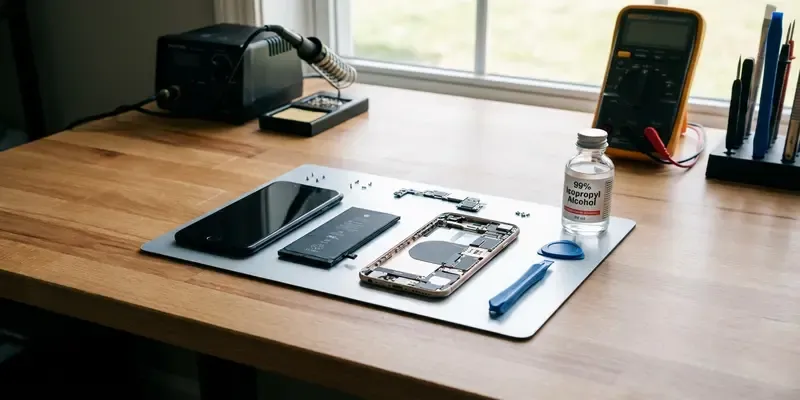
Stop Blasting Batteries: Why Heat Guns Are Repair Hazards
We’ve all seen the YouTube tutorials. Some guy in a garage blasts the back of an iPhone with a heat gun until the adhesive yields. It looks easy. It looks efficient. It’s also incredibly stupid. If you’re trying to safely remove phone battery adhesive, put the heat gun back in the drawer. Heat and lithium-ion batteries are a match made in a burn unit.
The Thermal Runaway Trap
Lithium-ion batteries are pressurized sandwiches of volatile chemicals. When you apply localized heat—especially from a tool that can reach 500°F—you aren’t just softening glue. You are stressing the internal separators of the battery cell.
One tiny puncture from a metal pry tool while that battery is hot, and you’ve triggered thermal runaway. That’s a fancy term for a chemical fire that you cannot put out with water. It’s fast, it’s toxic, and it’s entirely avoidable. We need to stop treating high-tech electronics like they’re rusted bolts on a truck frame.
Isopropyl Alcohol: The Secret Weapon
The professional consensus has shifted, and it’s time your DIY bench caught up. The solution isn’t temperature; it’s chemistry.
- Use 90% or higher: Anything less contains too much water, which can cause corrosion.
- Capillary action: You don’t need to drown the phone. A few drops will travel under the battery on their own.
- Patience over Power: Give the alcohol 60 seconds to work its magic. The adhesive will go from a stubborn grip to a wet noodle.
A Lesson Learned in Smoke
I learned this the hard way three years ago while working on a cramped Google Pixel. I was impatient. I figured a hair dryer on ‘High’ for two minutes would do the trick. As I started to pry, I felt the battery get alarmingly soft. Then came the smell—a sweet, metallic tang that hits the back of your throat.
I watched as a tiny wisp of white smoke curled up from the corner of the cell. I had to sprint to the backyard and toss the whole chassis into a bucket of sand. I ruined a $600 phone and nearly scorched my workbench because I was too lazy to reach for a bottle of rubbing alcohol. Now, I use a plastic syringe and 99% IPA every single time. The battery practically falls out.
How to Safely Remove the Bond
- Safety First: Drain the battery below 25%. A discharged battery has significantly less energy to release if something goes wrong.
- Apply IPA: Tilt the phone slightly and drop small amounts of isopropyl alcohol along the edges of the battery. Avoid the screen area if the phone isn’t sealed.
- Wait: Let it sit for 1–2 minutes.
- Use Plastic Tools: Never use metal spatulas. Use a plastic pick or a nylon spudger to gently lift. If you feel resistance, add another drop of IPA.
- Clean the Frame: Once the battery is out, use a cotton swab dipped in alcohol to wipe away the remaining gunk so the new adhesive sticks perfectly.
Reclaiming the DIY Spirit
Repairing your own tech should be a victory, not a hazard. By ditching the heat gun, you’re choosing precision over brute force. You’re protecting your hardware and, more importantly, your eyebrows. Isopropyl alcohol is cheap, safe, and effective. There is simply no excuse to keep playing with fire.
FAQs
Q: Will the alcohol damage my screen?
A: If you use too much, it can seep into the backlight layers of an LCD. Use a syringe for precision and keep the phone tilted away from the display.
Q: Is 70% isopropyl alcohol okay to use?
A: It’s better than nothing, but the 30% water content stays wet longer and risks minor corrosion. Stick to 90% or higher for electronics.
Q: How do I know if the battery is damaged during removal?
A: If the battery smells sweet, shows any sparking, or feels unusually hot to the touch, it is compromised. Dispose of it at a dedicated e-waste facility.
Q: Can I use WD-40 or Goo Gone instead?
A: Absolutely not. Those leave oily residues that are impossible to clean off and can degrade other components inside the phone.
Q: Does this work on all phone models?
A: Yes, from iPhones to Samsung and Pixels. Almost all modern manufacturers use pressure-sensitive adhesive that dissolves in the presence of alcohol.
Q: What if the pull tabs break?
A: This is exactly when IPA shines. When the pull tabs snap (and they always do), the alcohol allows you to slide a plastic card under the battery without needing to pry hard.


