
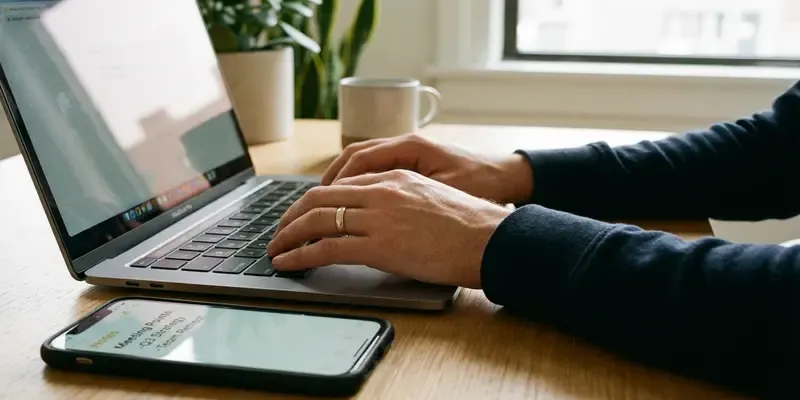
Stop Rage-Emailing: The Notes App Rule That Saved My Career
We have all been there. It is 4:45 PM on a Tuesday. Your blood pressure is spiking because ‘Dave from Accounting’ just looped your boss into a thread to ask a question you answered three weeks ago. You hit Reply All. Your fingers fly across the keys. You are typing with the fury of a righteous god. You mean to hit ‘Enter’ to start a new paragraph, but your pinky slips. You hit ‘Send.’
Silence. Then, panic.
That sinking feeling in your gut? That is the sound of a bridge burning. We trust our email clients too much. We treat Outlook and Gmail like safe spaces for thought, but they are actually loaded guns pointed at your professional reputation. Today, I am advocating for a friction-heavy solution to a high-speed problem: The ‘Notes App’ Buffer.
The User Interface Trap
Here is the uncomfortable truth: email clients are designed to help you communicate fast, not well. The ‘Send’ button is usually the most prominent element on the screen. It is blue, it is inviting, and it is right next to the formatting tools. This is bad design for high-stakes negotiation.
When you are emotional, your motor skills degrade. You become clumsy. Drafting an emotionally charged email directly in the composition window is like cleaning a loaded pistol while watching a horror movie. You are inviting disaster.
Why You Need ‘The Buffer’
The strategy is simple: Never draft a difficult message in the medium used to send it. Open Apple Notes, Notepad, Obsidian, or a literal piece of paper.
This does two things:
- It removes the danger. You literally cannot accidentally send a note to your boss. It is physically impossible. This safety allows you to be honest in your first draft without the subconscious fear of a misfire.
- It changes the context. When you type in an email window, your brain is in “Conversation Mode.” You are reacting. When you type in a Notes app, your brain switches to “Drafting Mode.” You become an editor. You critique your own tone because the interface looks different.
The $10,000 Meltdown I Almost Had
Let me take you back to 2015. I was freelancing, running on caffeine and imposter syndrome. A client—let’s call him Greg—had just rejected a project milestone for the third time, refusing to pay the invoice until I made “one small tweak” that was actually a full rewrite.
I felt the heat rise up my neck. I could hear my heart thumping in my ears. The room smelled like stale coffee and stress. I opened Gmail and started typing. I used words like “breach of contract” and “disrespectful.” I was ready to torch the relationship to the ground just to feel a moment of righteousness.
But I had a rule. The Notes App Rule.
I forced myself to copy the text, paste it into a blank Evernote file, and close the Gmail tab. I walked away. I stared out the window at the gray city rain for twenty minutes. When I came back and read the note, I cringed. It wasn’t professional; it was a tantrum. It would have cost me the contract and my reputation.
I deleted the whole thing. I wrote a new draft in the Note: calm, firm, citing the specific contract clause regarding revisions. I pasted that into Gmail. Greg paid the invoice the next day. That silence—that buffer—saved me $10,000.
The Protocol for High-Stakes Comms
Stop relying on willpower. Willpower is a finite resource; systems are forever. Here is how you implement the buffer:
- Identify the Trigger: If your heart rate goes up, close the email tab immediately.
- The Vomit Draft: Open your Notes app. Write exactly what you want to say. Curse if you have to. Get the poison out of your system.
- The Cool Down: Go make tea. Walk the dog. Do not look at the screen for at least 10 minutes.
- The Edit: Return to the note. Cut the adjectives. Remove the emotion. Focus on facts and solutions.
- The Transfer: Only when the text is perfect do you copy and paste it into the email client. Add the recipient’s address last.
Conclusion
In a world obsessed with speed, being slow is a superpower. The ‘Notes App’ Buffer isn’t just about avoiding typos; it is about preserving your career capital. It gives you the space to be the professional you want to be, rather than the reactive animal your emotions want you to be. Slow down. Open the notes app. Your future self will thank you.
FAQs
1. Does this really make a difference for quick replies? Yes. Even short emails can be misinterpreted. If the topic is sensitive, use the buffer. It prevents you from hitting send on a half-finished thought.
2. Why not just use the ‘Drafts’ folder in my email? Too risky. It is too easy to accidentally hit send or reply while trying to save. Plus, the visual context of the email client keeps you in a reactive state of mind.
3. Isn’t this inefficient? Correcting a misunderstanding takes hours. Apologizing for a rude email takes days. Drafting in a Notes app takes five extra minutes. Efficiency is measuring the total time to a resolution, not just typing speed.
4. What if I need to reply urgently? Rarely is an email so urgent that it cannot wait five minutes. If it is a true emergency, pick up the phone. Text-based communication is the worst medium for urgency.
5. Can I use a physical notebook instead? Absolutely. Hand-writing your draft engages a different part of your brain and slows you down even more. It is excellent for extremely volatile situations.
6. Does this apply to Slack or Teams messages? 100%. Instant messaging is even more dangerous because the ‘Enter’ key sends the message immediately by default. Always draft long or serious Slack messages in a separate window first.”


