
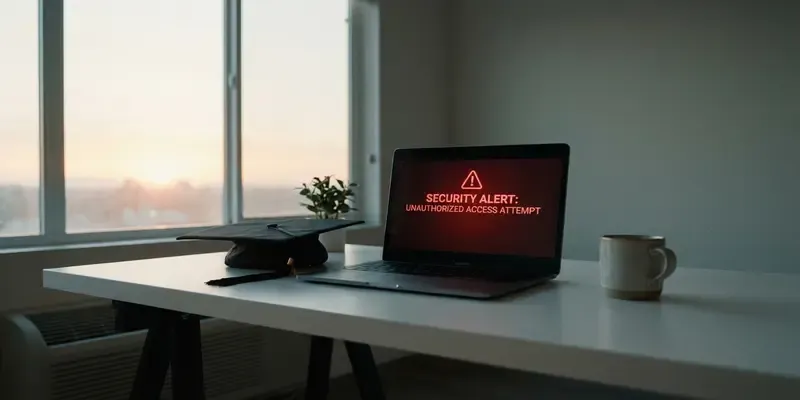
Escape the Graduation Trap: Save Your Digital Life
Imagine the cold sweat of a password reset that never arrives. You click “forgot password” for your primary bank account, but the recovery email is sent to a digital graveyard. This is the reality of the Graduation Trap, a ticking time bomb buried in your university inbox.
Most students treat their .edu email as a permanent fixture of their identity. It’s convenient, it gets you discounts, and it feels official. But the moment you walk across that stage, you are on borrowed time. Universities are increasingly deactivating—or worse, reassigning—alumni addresses to save on licensing costs or manage new student intake. If your digital life is anchored to that address, you aren’t just losing an email; you’re facing a total digital blackout.
The Myth of “Lifetime Access”
Universities love to promise “email for life” during alumni fundraising drives. It’s a lie. Policies change, IT departments get overhauled, and legacy systems are purged. When a university deactivates your account, they don’t just stop the incoming mail; they sever the umbilical cord to every service you’ve linked to it over the last four years.
- Banking & Finance: Password resets and 2FA codes go to a dead box.
- Cloud Storage: Years of photos and documents in iCloud or Google Drive become inaccessible.
- Insurance & Medical: Critical policy updates and health records vanish into the void.
- Identity Theft: If your old address is reassigned to a freshman with a similar name, they might inherit your password reset requests by accident.
Auditing Your Digital Footprint
You need to act before the deactivation notice hits your inbox. Waiting until the week of graduation is a recipe for disaster. Start by treating your .edu address as a temporary relay station, not a permanent home.
First, perform a “Recovery Audit.” Go through your password manager—you are using one, right?—and filter for every account tied to your student email. Move your most sensitive pillars (banking, primary AppleID/Google account, and government IDs) to a dedicated, encrypted personal email provider immediately.
The Day the Identity Died
I remember sitting in a cramped coffee shop with my friend, Elena, two years after we graduated. The air smelled of roasted beans and rainy pavement. She was trying to log into her tax software to file an extension, but she was stuck in a verification loop. Her recovery email was her old university address.
She called the university IT desk, pleading for a temporary reactivate. The voice on the other end was robotic: “That domain was migrated to a new server last month. All legacy accounts were purged. There is no backup.” Watching her realize that a decade of financial history was effectively locked behind a door that no longer existed was a gut-punch. She didn’t just lose an email; she lost her agency.
Your Exit Strategy
Don’t be Elena. Building a resilient digital identity requires a clean break from the institutional teat. Follow these steps to secure your perimeter:
- Establish a “Burner” for Perks: If you want student discounts, keep the .edu for as long as it lasts, but never use it as a recovery contact.
- Download Your Data: Use Google Takeout or similar tools to export your entire university drive and mailbox to a local hard drive.
- Set Up a Secondary Recovery: Always have a mobile number and a second non-university email attached to your high-value accounts.
- Update Your 2FA: If you use app-based authenticators, ensure they are backed up to a personal cloud account, not the university one.
The Bottom Line
Your university is a business, and you are a former customer. Once you stop paying tuition, your data becomes a liability on their balance sheet. The Graduation Trap is only a trap if you stay inside the cage once the door is unlocked. Take ownership of your digital identity today, because “lifetime access” is a promise that expires the moment the IT department needs more server space.
FAQs
Q: How long do universities usually keep .edu emails active?
A: It varies wildly. Some deactivate within 60 days of graduation, while others wait a year. Never assume you have more than one semester of grace period.
Q: Can I just set up auto-forwarding to my new email?
A: No. Once the account is deactivated, forwarding rules usually break. Furthermore, forwarding doesn’t help you with password resets that require you to actually log into the inbox.
Q: What is the biggest risk of email reassignment?
A: Security. If a new student gets your old address (e.g., j.doe@state.edu), they could inadvertently receive your sensitive notifications or even attempt to hijack accounts they see linked to that address.
Q: Should I use my work email as a backup instead?
A: Absolutely not. You don’t own your work email any more than you own your school email. Always use a personal, private email address you control.
Q: Is it possible to get an account back once it’s deleted?
A: Almost never. Most university IT departments purge the data entirely to comply with privacy laws and free up storage. Once it’s gone, it’s gone.
Q: What if I already lost access to my .edu email?
A: Contact the service providers (like Apple or your bank) directly. Be prepared to go through an intensive identity verification process involving your SSN, photo ID, and phone records.


