
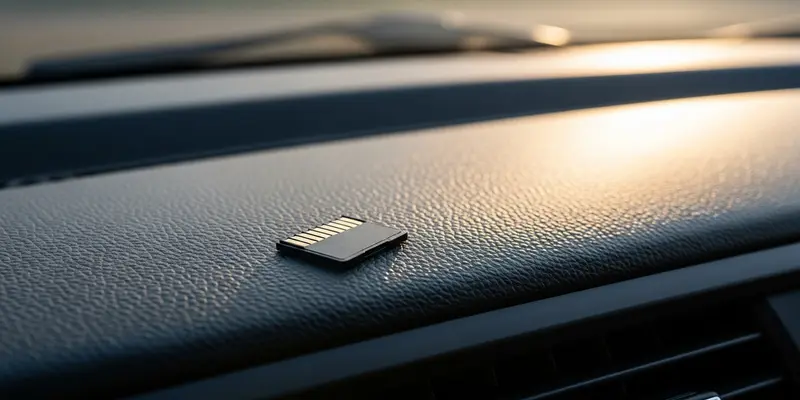
You think you’re protected. You spent three hundred dollars on a top-tier 4K dashcam, tucked the wires neatly into the headliner, and went about your life. But there is a silent killer lurking inside your glovebox. When that inevitable fender-bender happens and you reach for the footage, there’s a terrifyingly high chance you’ll find nothing but corrupted files. The culprit isn’t the camera; it’s the SD cards you treated as an afterthought.
The Lethal Cycle of Continuous Writing
Most people buy memory cards like they buy AA batteries—whatever is on sale at the checkout counter. This is a recipe for disaster. Dashcams and security cameras are not like your DSLR. While a camera takes a photo and then rests, a dashcam is a relentless beast. It writes, overwrites, and deletes data every single second your car is running.
Standard cards are designed for “burst” usage. They are built to be fast, not durable. When you put a standard card in a dashcam, you are essentially asking a marathon runner to sprint at full speed for twenty-four hours straight. The flash memory cells physically wear out, leading to “bit rot” and total card failure.
Why Your Brand Name Card is Failing You
You might see a “Gold” or “Extreme” label and assume it’s the best. It’s not. Those ratings usually refer to transfer speeds, which are irrelevant for dashcams. What you actually need is “High Endurance.”
High-endurance cards use different NAND flash technology (often pSLC or high-grade MLC) specifically designed to survive thousands of write-and-erase cycles. If your card doesn’t explicitly say “High Endurance” or “Max Endurance” on the label, you are using the wrong tool for the job. You are effectively driving without a seatbelt.
The Day My Evidence Vanished
I learned this the hard way on a rainy Tuesday in Seattle. A delivery van merged into my lane without looking, scraping my front bumper before speeding off. I wasn’t worried; I had a brand-name 128GB card in my dashcam. I felt like I had the upper hand.
When I got home and plugged the card into my laptop, my stomach dropped. The files for that entire afternoon were gone. The card hadn’t “died” in a way that triggered a warning light; it had simply reached its write-limit and locked itself into a read-only ghost state. The smells of wet asphalt and burnt rubber were still fresh in my nose, but the digital proof was a graveyard of 0kb files. I had saved twenty dollars on the card and lost a two-thousand-dollar insurance claim because of it.
How to Identify the Right Card
Don’t let marketing jargon confuse you. Here is the checklist for a card that won’t fail you:
- Look for ‘High Endurance’: This is non-negotiable.
- Check the TBW Rating: Terabytes Written. A good card will tell you exactly how much data it can handle over its lifespan.
- Avoid ‘Ultra’ or ‘Evo’ Lines: These are great for phones and cameras, but they will die in a dashcam within months.
- Class 10 / U3 / V30: Ensure it has the speed to handle 4K video without dropping frames.
Take Action Before the Crash
Check your dashcam right now. Pull the card out and look at the label. If it doesn’t say “Endurance,” replace it immediately. It’s a small investment that prevents a massive headache later. Don’t wait for a hit-and-run to realize your storage failed. Buy the right card, format it once a month, and drive with actual peace of mind.
FAQs
Q: Can I use a regular 256GB card instead of a 64GB High Endurance card? No. While higher capacity can spread out the wear, the underlying flash technology in a standard card still isn’t rated for the heat and constant cycling of a dashcam.
Q: Why doesn’t my dashcam tell me the card is failing? Many dashcams only check for the presence of a card, not the integrity of the storage cells. A card can appear to be working while it is actually failing to save data.
Q: How often should I replace my High Endurance SD card? For heavy drivers, every 2 to 3 years is a safe bet. Even endurance cards have a finite lifespan; they just last 10x longer than standard ones.
Q: Does heat affect my SD card’s performance? Absolutely. Dashcams sit behind glass in direct sunlight. High-endurance cards are usually built to withstand extreme temperature ranges that would melt standard consumer cards.
Q: Is it okay to use a MicroSD to SD adapter? It’s a point of failure. If your camera takes a full-sized SD, buy a full-sized card. If it takes a MicroSD, use that directly without an adapter if possible.
Q: Will a faster card (V90) stop the corruption? Speed (V90) and endurance are different things. A fast card can still be fragile. Always prioritize endurance over raw speed for video logging.