
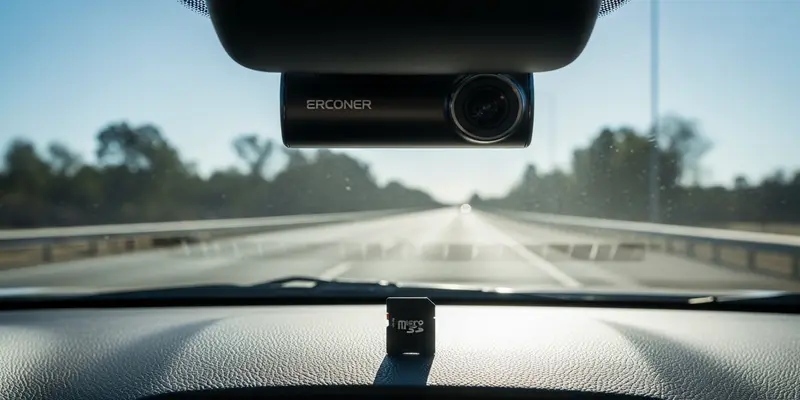
You’re driving home, the light turns green, and—crunch. Someone ran the red. You feel confident because your dashcam caught it all. But when you pull that tiny plastic sliver out, your computer says "File Corrupted." Most drivers don’t realize that standard flash memory cards are being systematically murdered by their dashcams. They aren’t built for the relentless torture of constant loop recording.
The Brutal Reality of Loop Recording
Dashcams are data shredders. Unlike your phone or a DSLR that saves a photo and sits idle, a dashcam is in a state of perpetual motion. It writes, erases, and overwrites every single second you are on the road.
Standard cards use architecture designed for occasional use. They have a limited number of "write cycles." When you force a standard card to handle high-bitrate 4K footage on a loop, you aren’t just using it; you are burning it out at ten times the intended speed. It’s like using a commuter car to run the Le Mans 24-hour race every single day. Eventually, the engine gives up.
Why "Max Endurance" is Not a Marketing Gimmick
You will see cards labeled High Endurance or Max Endurance. These aren’t just pricier versions of the same tech. They use different NAND flash structures—often MLC (Multi-Level Cell) or specialized high-grade TLC—that can survive thousands of hours of rewriting.
- Heat Resistance: Dashcams live on hot windshields. Endurance cards are built to withstand the bake.
- Error Correction: They have smarter controllers that manage data flow to prevent file corruption.
- Longevity: A Max Endurance card can often record for up to 20,000 hours, whereas a cheap card might fail after 500.
The Day the Footage Vanished
I learned this the hard way on a rainy Tuesday in Seattle. A delivery van clipped my bumper and kept driving. I wasn’t worried; I had a brand-new dashcam. When I got home and plugged the card in, my stomach dropped.
The card was hot to the touch, almost pulsing with heat. I opened the folder to find a sea of 0KB files. The card had reached its write limit mid-trip and simply stopped recording without telling me. The "REC" light on the dashcam was still blinking, but the memory was a graveyard. I paid for that repair out of pocket because I tried to save $15 on a budget SD card. It was an expensive lesson in false economy.
How to Check if Your Card is Failing
Don’t wait for an accident to find out your card is dead. Your memory card is likely failing if you notice any of these red flags:
- The Beep of Death: Your dashcam randomly chirps or gives a "Memory Error" voice prompt.
- Missing Gaps: You review footage and find 30-second gaps between clips where nothing was recorded.
- Slow Formatting: If it takes more than a few seconds to format the card in-camera, the cells are wearing out.
- Read-Only Mode: Some cards lock themselves into "Read-Only" mode when they fail. You can see old files, but you can’t delete them or add new ones.
Take Action: Protect Your Evidence
If you are currently running a standard retail SD card in your dashcam, stop. You are driving with a false sense of security. Go to your local tech shop or look online for a reputable Max Endurance card from brands like SanDisk, Samsung, or Western Digital.
Check your footage once a month. Format the card in the camera settings every few weeks to keep the file system clean. A small investment now is the only way to ensure that when the unthinkable happens, you actually have the proof you paid for.
FAQs
Q: Can I use a 256GB standard card instead of a 64GB endurance card? No. While higher capacity lasts longer because it takes longer to loop, the underlying tech still isn’t rated for the constant heat and write-stress of a dashcam.
Q: How often should I replace a Max Endurance card? Even the best cards aren’t permanent. For heavy drivers, replace your card every 2 to 3 years as a preventative measure.
Q: Will a dashcam notify me if the card fails? Most modern, high-end dashcams will beep or show a screen alert, but many budget models will simply continue to look like they are recording while saving nothing.
Q: Does heat really affect memory cards that much? Yes. Heat accelerates the degradation of the flash cells. Standard cards are often rated for consumer electronics, not the 140°F temperatures found inside a parked car in summer.
Q: What speed rating do I need for a 4K dashcam? Look for a U3 or V30 rating. This ensures the card can keep up with the massive stream of data coming from a 4K sensor without buffering.
Q: Is it okay to format the card on my computer? It is always better to format the card using the built-in menu on the dashcam itself. This ensures the file system is optimized for that specific device’s hardware.