
You just survived a harrowing near-miss on the freeway. Your heart is hammering against your ribs like a trapped bird. You reach up, eject the microSD card from your fancy 4K dashcam, and plug it into your laptop, desperate to see the footage.
Then, the screen goes white. “File Corrupt.”
This isn’t a hardware glitch. It’s a choice you made at the checkout counter. Most people treat SD cards like commodities—just cheap plastic rectangles that hold data. But in the world of dashcams, that mindset is dangerous. If you aren’t using a high-endurance card, you don’t actually have a dashcam; you have a paperweight suction-cupped to your windshield.
The Industrial Shredder in Your Windshield
Standard SD cards are designed for your digital camera or your Nintendo Switch. They are built for “burst” writing—taking a few photos, then sitting idle. A dashcam is a completely different beast. It is a data-shredding machine that writes, deletes, and overwrites video files every single second your car is running.
This process is called “cycling.” Every memory cell in that tiny card has a limited lifespan. Cheap cards use TLC (Triple-Level Cell) flash memory that wears out faster than a pair of budget sneakers on a marathon runner. When those cells die, your footage dies with them.
Why Your Camera Isn’t the Problem
I see it in every forum: “My dashcam is junk! It keeps rebooting!”
Nine times out of ten, the camera is screaming for help because the SD card can’t keep up. When a card starts to fail, it creates write errors. The camera’s software tries to fix it, fails, and then enters a reboot loop. We blame the $400 piece of optics when we should be blaming the $15 bargain-bin card we bought because it was on sale.
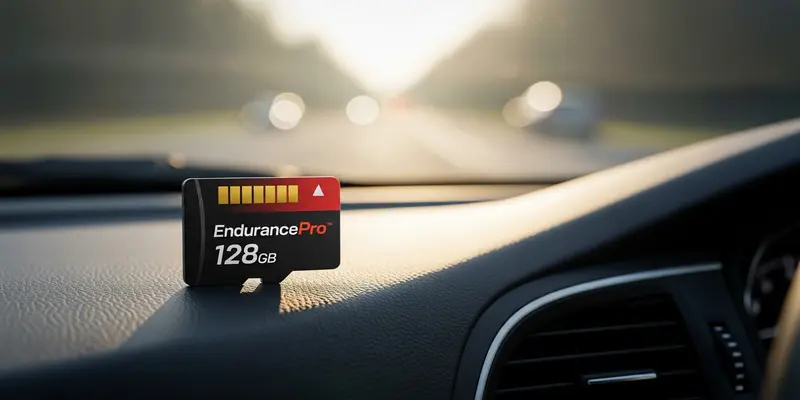
Don’t be that person. Buy the right tool for the job. You need a card specifically labeled “High Endurance.” These are built with different NAND flash architectures—often pSLC or MLC—designed to handle thousands of hours of continuous writing without breaking a sweat.
A Rainy Tuesday and a Dead Memory Cell
I learned this the hard way on a slick, grey Tuesday in Seattle. A delivery van clipped my bumper and kept driving. I wasn’t worried; I had a top-tier camera. I could almost smell the victory of a settled insurance claim.
I got home, pulled the card, and found a graveyard. The card had quietly failed three months prior. It hadn’t triggered an alarm. It just stopped recording new data, leaving me with footage of a grocery run from last summer but nothing from the accident. The card felt hot to the touch, a tiny piece of fried silicon that cost me a $1,000 deductible. That was the last time I ever skimped on storage.
What to Look for (The Non-Negotiables)
If you want your footage to be there when the metal crunches, look for these specs:
- High Endurance Rating: It must be explicitly stated on the packaging.
- Video Class V30: This ensures the card can handle the high bitrate of 4K video.
- Temperature Resistance: Dashcams sit in the sun. Your card needs to survive 140-degree cabin temps.
- Capacity: 128GB or 256GB is the sweet spot. Larger cards last longer because the “overwrite” cycle takes longer to complete.
The Final Verdict
Stop treating your dashcam storage as an afterthought. It is the most critical link in your safety chain. A high-endurance card might cost double what a standard card costs, but compared to a denied insurance claim, it’s the cheapest peace of mind you’ll ever buy.
Go to your car right now. Check your card. If it doesn’t say “High Endurance,” replace it today. Your future self will thank you.
FAQs
Q: Can I use a regular ‘Extreme’ or ‘Ultra’ card? No. Those names are marketing fluff for speed, not longevity. Dashcams need endurance, not just raw burst speed.
Q: How often should I format my SD card? You should manually format your card inside the camera every 30 to 60 days to clear out file system errors.
Q: How long does a high-endurance card actually last? Depending on the capacity and how much you drive, a good card should last 2 to 5 years of daily recording.
Q: Why does my dashcam say ‘Slow Card’ when I use a 256GB card? This usually means the card’s write speed (U-rating or V-rating) is too low for the camera’s resolution. Ensure it is at least U3 or V30.
Q: Does heat affect my SD card? Massively. Standard cards warp and fail in the heat of a parked car. High-endurance cards are tested for extreme temperature ranges.
Q: Is it worth buying the manufacturer’s branded SD card? Not necessarily. As long as you buy a reputable brand (SanDisk, Samsung, Western Digital) labeled specifically as “High Endurance,” you’ll be fine.